
- Download count 8207
- Pageviews 15412
- Unique foldername
- Skin for
- Track Mod for
- Based on
- Release date 2022-06-14
- Version from 2024-01-01
- Version 24.01.01.1
- RVW-ID 33398
- Category Tool
-
Score
 94/100
(24 votes)
94/100
(24 votes)
- Unconventional car?
- Construction
- Engine
- Transmission
- Top speed mph
- Total weight kg
- Acceleration m/s²
- Construction
- Track difficulty
- Track length m
- Reverse version available?
- Time trial times available?
- Practice mode star available?
- Online multiplayer compatible?
About
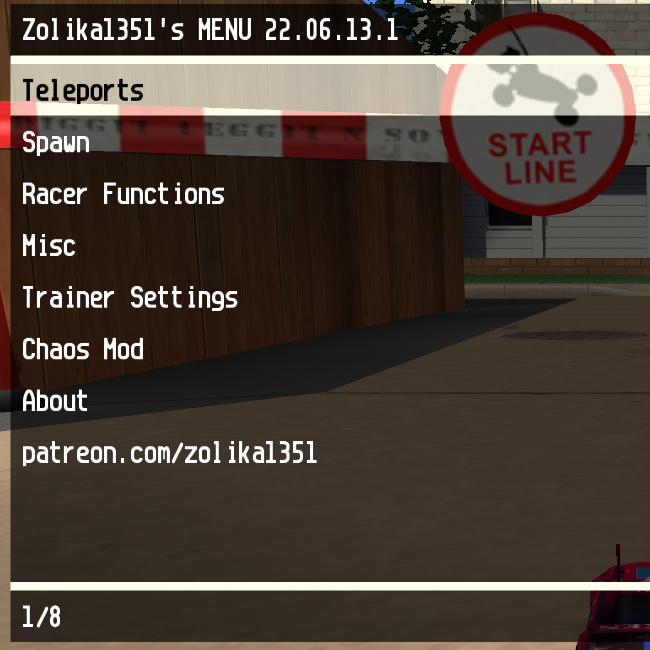
A powerful in-game mod menu for Re-Volt (RVGL), similar to menus for GTA games.
Supported version (Singleplayer only):
- RVGL Win64 v21.0930a-1
Installation:
Download and unzip the following files in a New folder and in the same order as they're mentioned, you don't have to edit or delete any of your current RVGL installations
- Game files. This includes the stock cars and tracks standalone
- RVGL 21.0930a-1 for Windows x64. This is the ONLY version and OS compatible for Chaos Mod
- ZMenu RVGL + Chaos Mod. Click Download button instead of Install with RVGL-Launcher
Default controls:
- F7 to toggle menu
- NumPad keys to navigate (8: Up, 2: Down, 5: OK, 0: Back)
- RCTRL + Num2 to flip car
- F6 for airbreak
Options:
- Teleport (with .ini save/load)
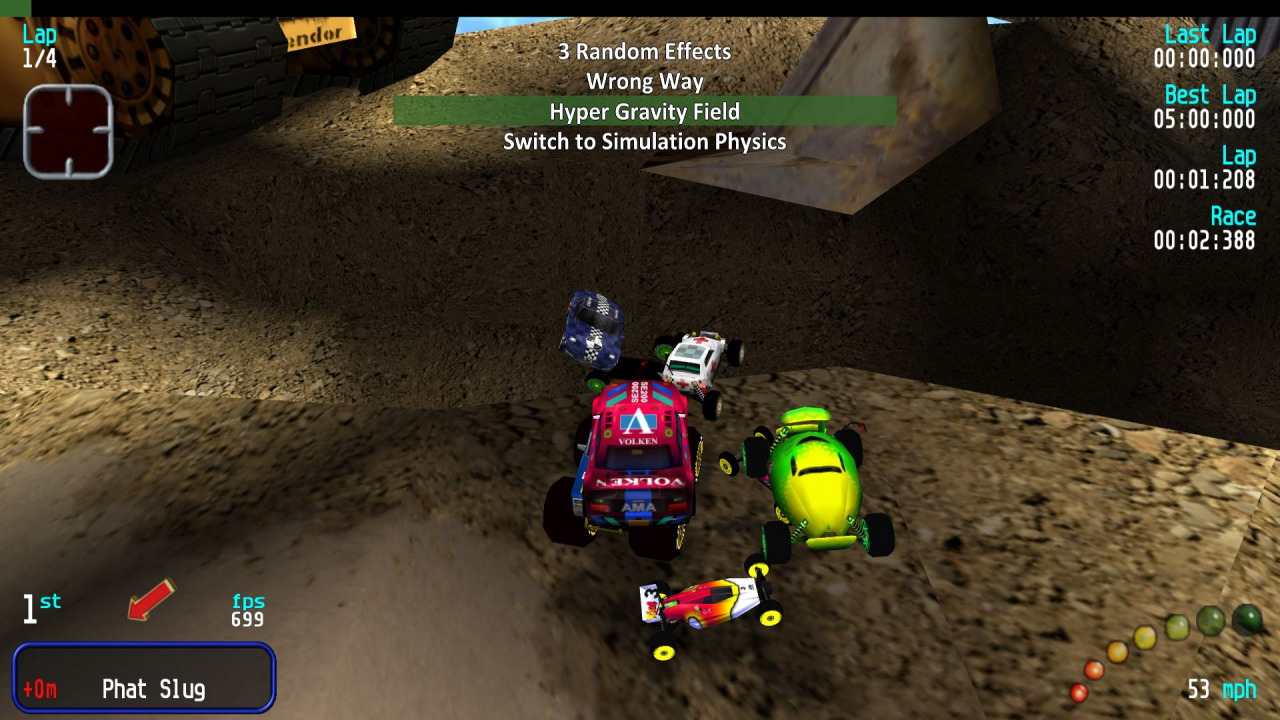
- Built-in chaos mod with more than 140 effects and Twitch voting support
- Quake/Half-Life movement with bhopping, surfing, etc.
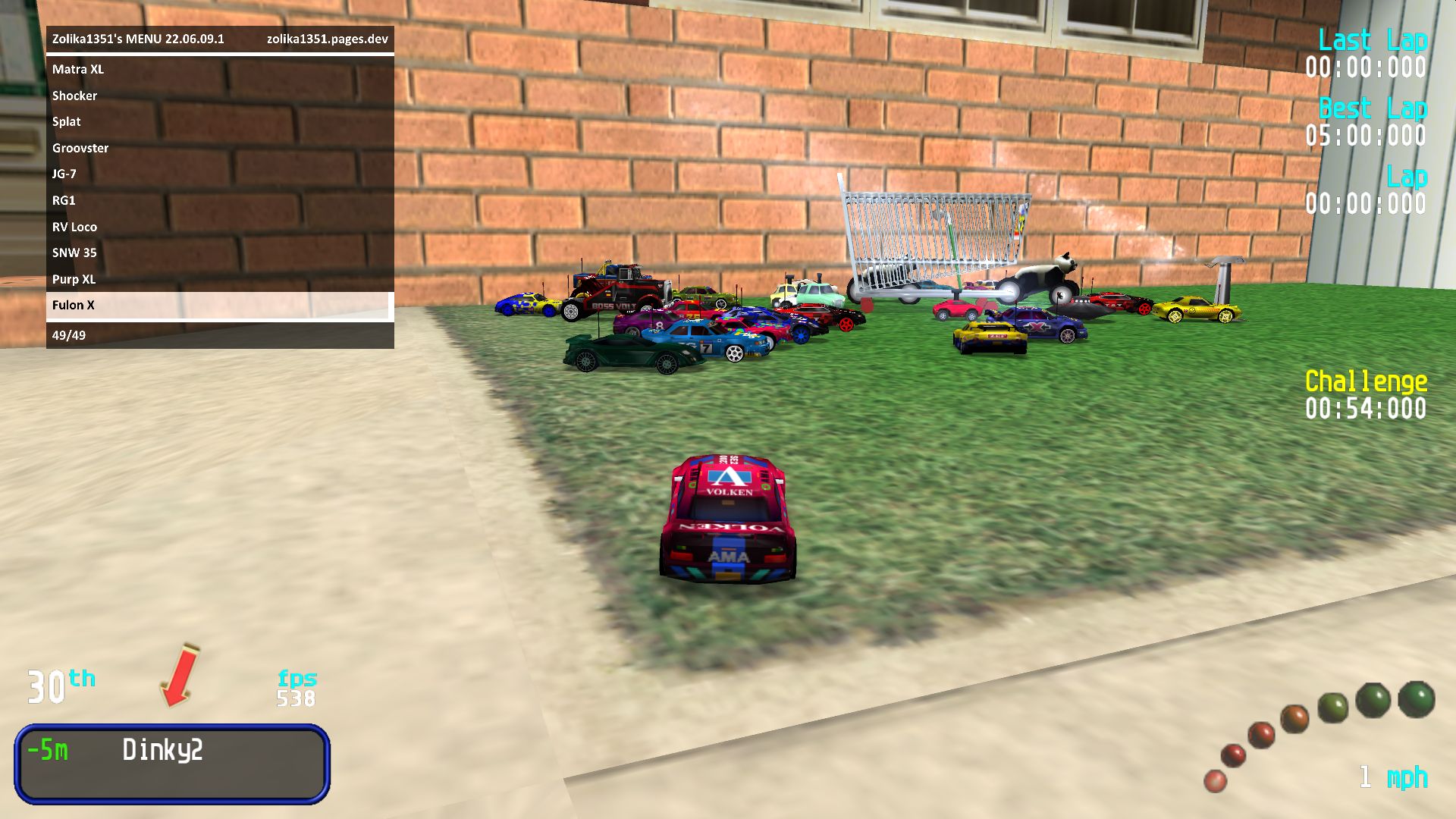
- Support for 30 cars outside Clockwork Carnage with a fixed race grid
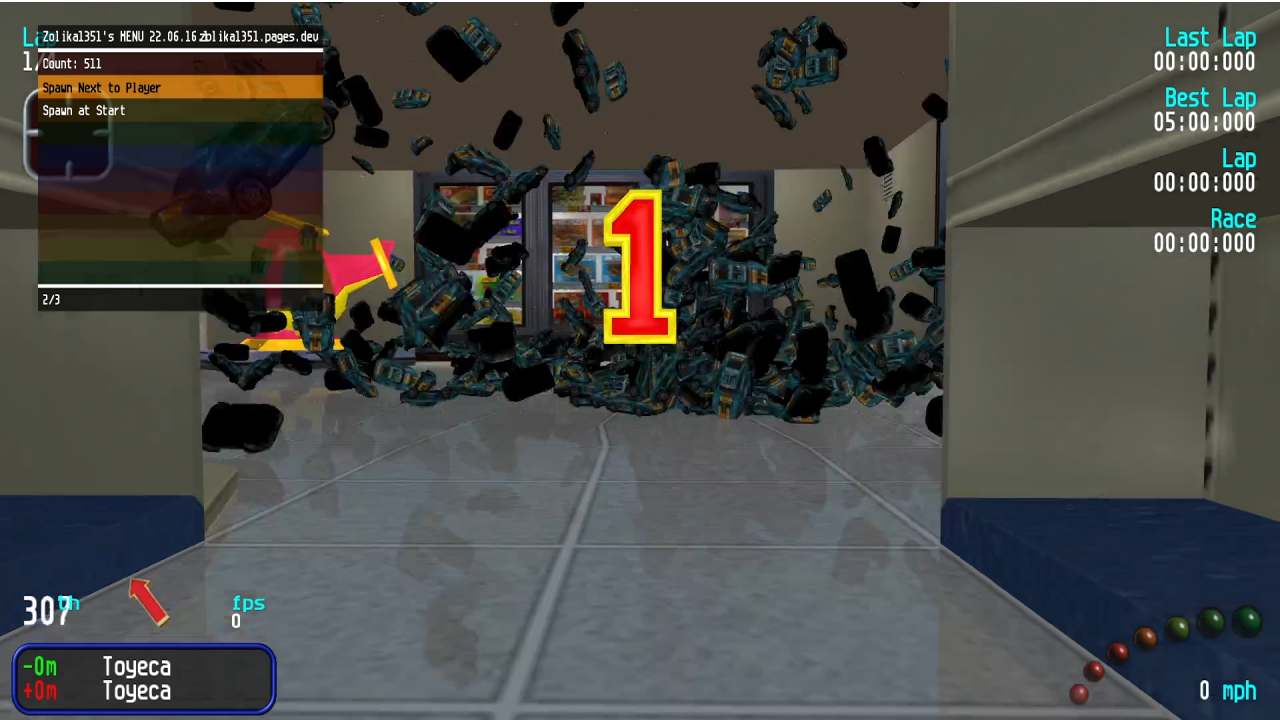
- Support for up to 512 opponents (1024 if car-to-car collisions are off) when mass-spawned manually
- Spawn cars (can be static or have AI, includes a list of all cars including addons)
- Spawn objects (planes, rain, water, fireworks, bottles, beachballs, etc.)
- Change player car model in-game
- Teleport to other cars
- Take over control of any car in the game world, including ambient trolleys
- Explode other cars
- Airbreak
- Lock camera
- Display various useful bits of info about the game such as pointers to the player's vehicle classes, timestep, etc.
- Give any powerup at any time
- Increase current amount of powerups held, including with previously non-stackable ones
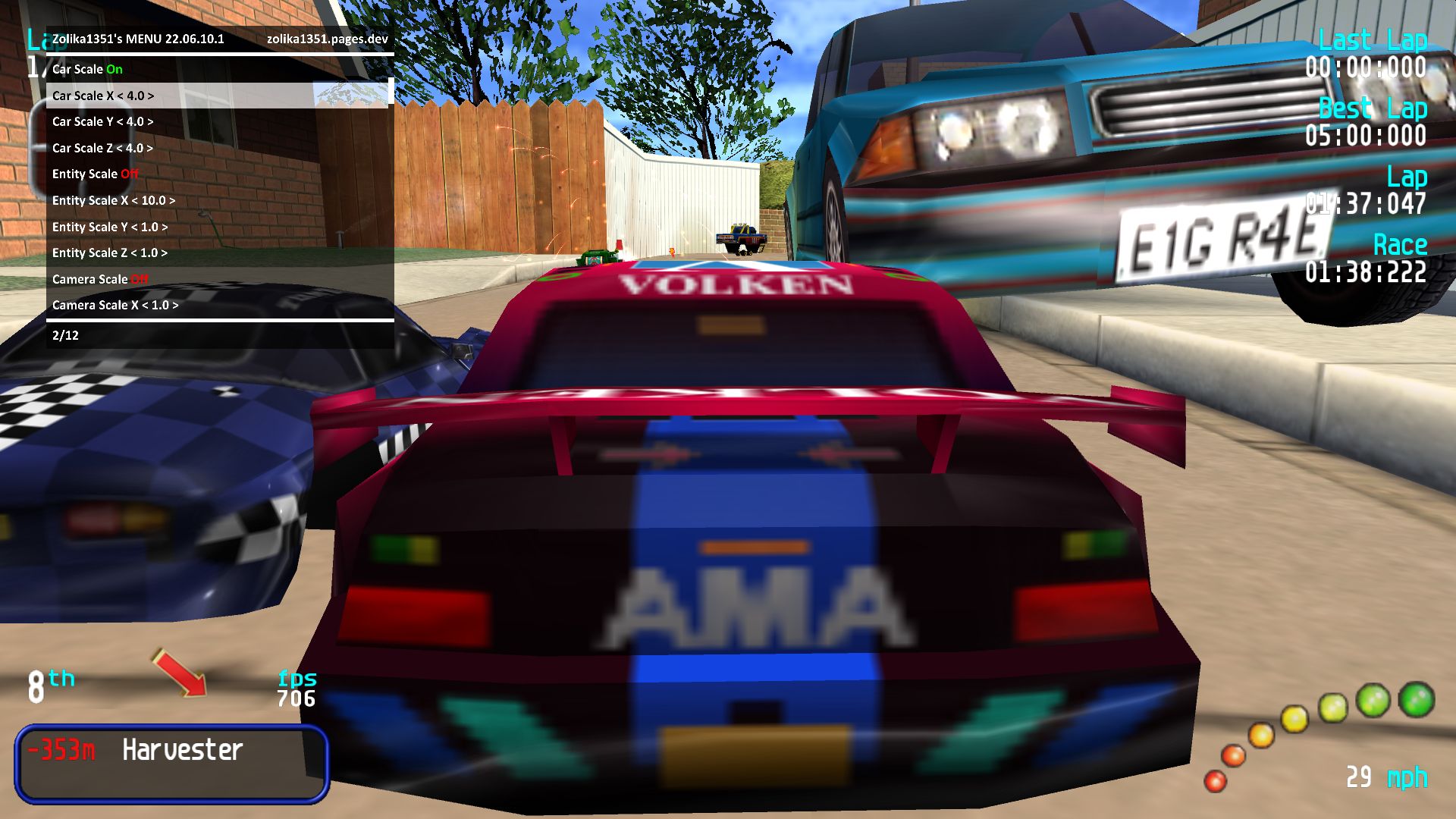
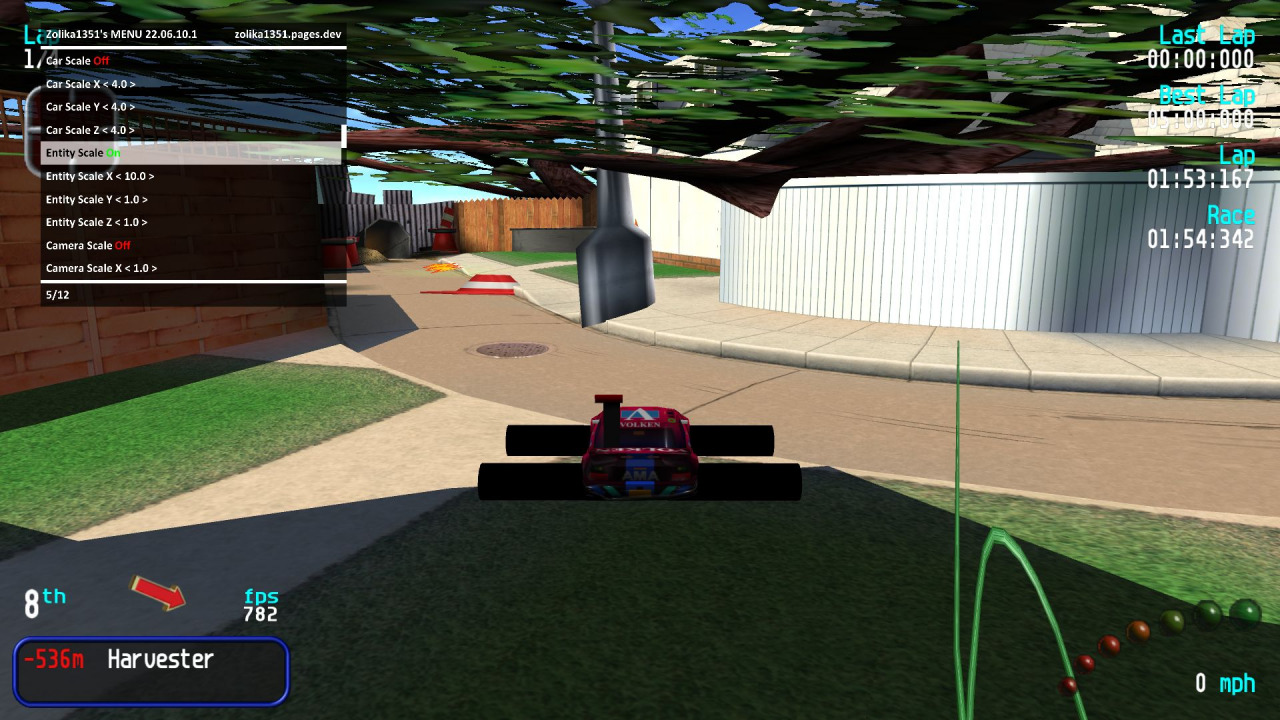
- Scale all cars
- Scale all objects
- Scale the game camera
- Change gamemode and lap count in-game
- Gravity Field, Forcefield and Earthquake options
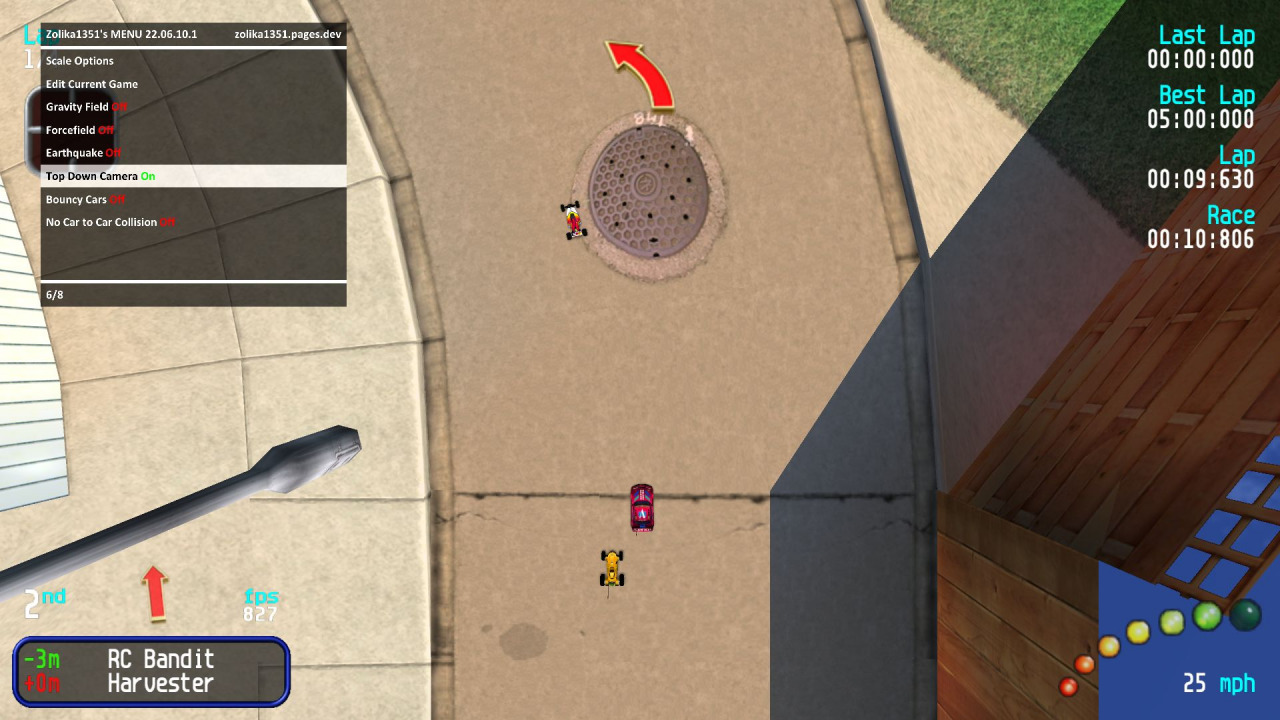
- GTA 2-like top down camera
- Make all cars bouncy
- Disable car-to-car collision
- Free camera
- Mouse camera rotation
- Toggle AI control mid-race
Changelogs:
24.01.01.1
Major chaos optimizations
Added more new chaos effects
Added back support for a separate Chaos voting window (only works in windowed mode)
23.06.26.1
Major chaos optimizations
Fixed graphical issues with the chrome ball
23.06.02.1
Major chaos optimizations
Added more new chaos effects
Added GTA III Camera
23.05.04.1
Major chaos optimizations
Added more new chaos effects
23.01.24.1
Major improvements to Quake/Half-Life Movement
23.01.13.1
Major code optimizations
Major chaos improvements
Added Quake/Half-Life Movement option
22.12.05.1
Major code optimizations
Major chaos improvements
Added more new chaos effects
Added Uwuify
22.10.02.1
Chaos improvements
Added more new chaos effects
22.08.18.1
Chaos improvements
Added more new chaos effects
Added Buttsbot
GTA SA Camera improvements
Added On-Screen Keyboard for controllers
Added Localization Entries menu
22.08.16.1
Chaos improvements
Added more new chaos effects
Added GTA SA Camera option
22.07.18.1
Chaos improvements
Added more new chaos effects
Added search option for chaos effects
22.07.03.1
Chaos improvements
Added more new chaos effects
22.06.24.1
Chaos improvements
Minor code optimizations
Made the installation process simpler
22.06.21.1
Added Object Spawning menu
Chaos improvements
Added more new chaos effects
Opponent limit unlocker stability improvements
Further increased max cars from 1024 to 8192
Added Fuck Up World option
Simplified installation for RVGL Launcher
22.06.19.1
Minor fixes
22.06.17.1
Added 30 Opponents Support option
Added Unlock Global Car Limit option
Added Clockwork Carnage Race Grid option
Added Auto-Fill Clones menu to Car Spawning (easy way to spawn hundreds of opponents with global car limit unlocked)
22.06.16.1
Fixed menu drawing without SSO and in legacy GL modes
Menu now draws on top of the HUD
Chaos stability improvements
22.06.15.1
Chaos stability improvements
Added more new chaos effects
Added AI Control toggle






Hello everyone, I’ve included detailed instructions about how to install the ZMenu at the start of the description. As a bonus I’ll explain below how to enable 30 opponents in the game:
Every time you start the game open the Mod Menu (F7) key and Navigate the menu with NumPad keys (8: Up, 2: Down, 5: OK, 0: Back).
1. In the mod menu, go to Options > Helpful and toggle on 30 Oponents Support. Here you can close the menu.
2. In game main menu, go to Options > Game Options, now you should be able to set Number of Cars up to 30 cars.
The author retired from every modding scene and because of that there will never be an update for this upload.
don’t work on new verison of RVGL
To fix the not working mod issue, you cant just put the zip into the rvgl’s drag-to-download feature (rvgl launcher->local) . Instead, extract the continents of the .zip file into another folder, then you can use total commander (optional) to put in the files in the correct places. In the mod assets folder, it comes already with a RVGL Win64 v21.0930a-1. You just have to put the files in correct places to make it work. You can uninstall it at any time and it will reset back the RVGL version to the newest one (which is build 23.1030al).
When you have finished putting all files in the correct places (folders) launch RVGL launcher. Once inside, on the screen, you will see the version of rvgl (bottom left corner). If you have it on v21.0930a-1, then you can press F7 to open the ui (works in menu/works in game). Use the numpad to navigate.
Also if your numpad doesnt work, or you dont have it, the ZMenu RVGL has a file to change the keybinds. (in Zmenu -> for standalone RVGL -> ZMenuRVGL.ini file. Inside of that file, you will find the instructions how to change it.
Why is my menu bouncing around my screen?
Well damn, that kinda sucks. Sometimes I don’t understand why great people get harassed for no reason.. Regardless, hopefully someone else will take on from where he left. Would love to see this function again!
@Vroom_Boi Crashing might be due to using an unsupported version for the mod, check the version of RVGL required to play with it on the description.
As for anyone asking about updates: Zolika has made a final statement on his website that he retired from modding due to harassment factors and slander (outside of the Re-Volt sphere, as he does modding for a lot more games), and thus none of his mods including this one will not receive further updates.
Sadly doesn’t appear to work anymore. The game simply crashes when you try to use it. Any updates that might fix this? Would also love support for multiplayer.
Well.. It’s been near 8 months and this guy hasn’t updated the ZMenu + Chaos Mod, i guess there won’t be another update then.
Guess that i’ll just have to use the current version and backup all current RVGL files for when i wanna go back.
I wish it supported 32-bit devices
Excuse me, but could you tell me how to install this mod? I’ve tried various methods, but nothing seems to work…
not working :(
Add-on suggestion.
Add possibility to make a screenshot of your car and its shadow without background. And automatically save it as png file. It would be very useful for carbox creators.
Nah, this amazing tool no longer work, i feel sad :(
When you get the chance, update this for the new RVGL version.
i update my rvgl version to the last one and add this menu and my bowling ball is all ghost do you know why, is the only problem
excuse me for double post, work after all little mistake from me
dont work anymore with new rvgl version
It keeps saying “Unable to load ZMenuRVGL.asi. Error: 126”
How do I solve this?
I have a numberpad but it doesn’t work
what should i do?
I don’t know, how “Car count” working (in race)
Can anyone tell me, how it does work?
When will this mod get Linux support?
Does this work on Win7 32-bit?
It doesn’t work for me either. In fact, neither versions work. “Gravity Field” looks and sounds like a fantastic way to keep the race close, despite non-car objects affected. You see, usually Re-Volters run races where at least two cars are greater than (or equal to) 50 meters apart from each other, which wouldn’t be much competition at all. If a race is run where EVERY SINGLE CAR is less than (or equal to) 10 meters apart from each other all the way, that would be real competition, and you know I love competition. Could you look into that?
1. i dont have a numpad.
2. it dosent work, error with ZMenuRVGL.asi file
By the video, i think the chaos mod is good.
@rodik Thank you for the help
If you are not using the launcher, move the files from “For Standalone RVGL”. I don’t use the launcher, so I don’t know what to do in another case. But I think it’s also easy there, because it says For RVGL Launcher.
Any tutorial video or picture how to do this in your folder?
how do i put that in my revolt?
This mod adds a lot of longevity to the game. It might even inspire new game mode ideas!
The spawning option is definitely my personal favourite feature that I often and I also love that there is also controller support.
Great work!
I couldn’t make it work. I did not understood the instructions in the ‘read me’. Can somebody help me?
Superb, but too bad for the Added 30 Opponents Support option because we end up with the same car we chose.
ah yes… you the creator of MM2 Trainer and chaos mode
this mod is pretty fun to mess with, when i completed the penny racers harbour track when it was set to 8 laps when i crossed the finish in last lap, the game crashed
also i set the new effects time to 10
Yes, it’s a very cool mod. I liked all the effects in Chaos. But still, you can’t finish the race in Time Trial. But thank you for such a mod!
Video: https://www.youtube.com/watch?v=CLtQIimVotE
Incredible stuff that you’ve done here.